
1.5T vs 3T MRI Comparison Guide
 Steve Rentz: April 18, 2024
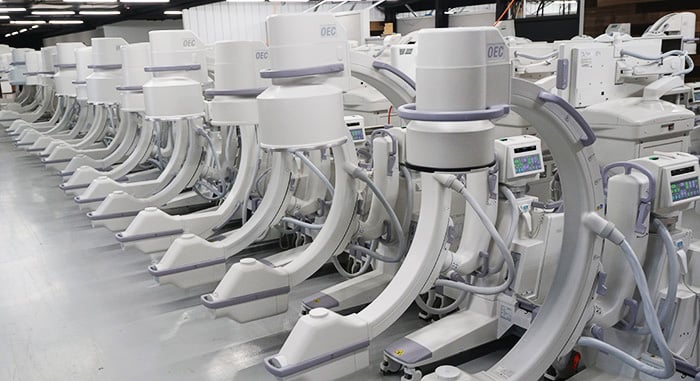
"If I invest in maintenance on my OEC C-arm and handle it extremely carefully, it will never break down."
This is a common misconception we often hear regarding C-arm systems. Until science can provide mankind with indestructible materials, equipment problems are an unfortunate eventuality.
Block Imaging wanted to provide you with some solutions to four frequently reported maintenance issues with OEC 9800 and 9900 C-arms:
Let's dive in and discuss these common errors and ways you can diagnose and resolve them.
If an image with proper brightness and contrast levels appears noisy or grainy, reduce the enhancement level. Using lower enhancement may control noise and improve the image quality but may also sacrifice image sharpness.
Finding the happy medium of this will be more of a personal preference.
If the image has proper brightness and contrast levels but the anatomical structures such as bones appear blurry, increase the enhancement level to improve the sharpness.
If this does not fix your issue, it's likely that a component in your image chain is starting to fail and will require replacement.
.png?width=407&height=84&name=MicrosoftTeams-image%20(120).png)
This message appears alternating with the technique when the Battery Charger fails during bootup.
Typically, the issue lies with the battery charger board malfunctioning, leading to improper charging of the generator batteries. Alternatively, the generator batteries may have drained too low and will require replacement.
Removing the cover on the backside of the C-arm will reveal the battery housing in the base of the frame.
-1.png?width=241&height=290&name=MicrosoftTeams-image%20(124)-1.png)
If you have a Biomed on staff, they can likely handle this swap for you.
.png?width=418&height=87&name=MicrosoftTeams-image%20(119).png)
This message is produced by the system when the actual mA produced falls below the value indicated on the C-Arm Control Panel display and is not within tolerance. More than likely, you will need to check your null adjustments on your High Voltage Supply Regulator board.
The nulls may require adjustment which will require a field service engineer who has an extender board handy. Other things to investigate would be generator batteries, the battery charger board, or performing a filament calibration. Worst case scenario would be a High Voltage Tank issue.
For diagnosis and resolution on the latter items, we recommend contacting a field service engineer.
.png?width=682&height=384&name=MicrosoftTeams-image%20(123).png)
Often, this issue is related to a voltage problem. To start, check the power supplies on the work station and on the C-arm. Another thing that can be helpful is to remove boards, clean the PCI, and reseat.
In many cases, you need to clean the connectors on the power supplies or the boards because of corrosion. Dirty contacts can cause drops in voltage. Once cleaned and reseated the communication error should resolve.
If not, your next step should be to check the interconnect cable. The cable poses a risk of being kicked, stepped on, or cut because it lies across the floor between the workstation and C-arm.
Hopefully, your C-arm has been problem-free until now, and this article provided the perfect fix to get your system back to peak condition. If not, you can always reach out to the Block Imaging team for any C-arm maintenance needs.
Rest assured that our team of experienced engineers will have your system back up and running as soon as possible. Call 877-733-7142 for immediate service.
For more C-arm resources, check out our Learning Center!