Anyone selling used medical imaging equipment needs to be proactive about maintaining HIPAA compliance and taking all necessary steps to protect patient data. In the next few paragraphs, we'll expain what you need to do and how you can make sure it happens.
HIPAA Compliance Explained
The Health Insurance Portability Accountability Act of 1996 (HIPAA) protects the privacy of patient data. The rule that is most applicable to the medical imaging community or radiology managers is the so called “HIPAA Privacy Rule.” The rule requires all “covered entities” (which includes just about anyone owning or operating medical imaging equipment) to protect all “individually identifiable health information;” this is called protected health information (PHI).
Protected Patient Information is Stored in Imaging Equipment
What type of information is on your piece of medical imaging equipment? You would expect (and you would almost certainly be right) that your digital era machines probably have dozens of patient images produced by the scans and studies being run in your facility. Most likely, your machine will also have dozens of patients’ data stored in companion info files too! These files may stay on your machine after images are removed.
Before the Equipment Leaves You Must Clear Patient Data
While a scanner is in your facility, the compliance-minded radiology or imaging center manager will ensure that patients’ PHI is closely guarded. However, that machine will not be in your facility forever.
When it comes time to trade in or sell your imaging equipment on the secondary market, it is your responsibility to delete patient PHI.
How Do You Delete Patient Data?
The simple answer is that it depends on the equipment. On some machines, by simply deleting the patient images, you will also delete the associated info files. On others, there may be a separate location where patient data is stored.
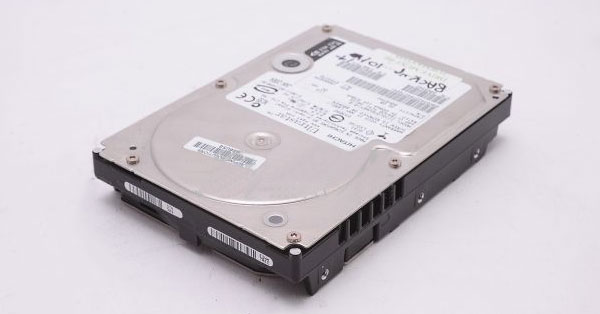
One thing is for sure: you want to be careful when deleting information from your machine... The operating software for your machine is often on the same hard drives as the patient data and could be removed inadvertently and unless you plan on making your machine an expensive paperweight, that software needs to be preserved.
Since there is no one-size-fits-all solution, here are your options:
- Option A - Contact Block Imaging who has experience with hundreds of makes and models (too many to list here) and an in-house Service Team to help.
- Option B - Check with your regular engineer/service provider.
- Option C - If you are selling your equipment, sell to a buyer who'll agree to send an engineer to clear the data before the system is deinstalled.



 Josh Nunez: April 25, 2024